

Accessing your top casino games no longer confines you to a desktop. The trinocasino apk app delivers the full platform into your pocket, allowing you register, authenticate, and wager with a few taps. We built the app to mirror the desktop experience while adding mobile-specific features like biometric login, push notifications for promotions, and a streamlined cashier. Whether you are new to Trino Casino or already have an account, the app makes it easy to get started. In this guide we explain downloading the software, creating a new account, signing in securely, verifying your identity, and discovering the features that distinguish the app apart. By the end you will understand exactly how to move from installation to your first real-money wager with confidence.
Security and Profile Safeguarding on Mobile
Mobile devices carry confidential personal and financial data, so we developed the Trino Casino app with various layers of security. All communication between the app and our servers is secured using TLS 1.3, the same protocol used by banks. Your login credentials are hashed and never stored in plain text. The app also validates the integrity of its own code at launch to spot tampering or malware injection. In addition to biometric login, you can turn on two‑factor authentication that needs a time‑based one‑time password from an authenticator app each time you log in from a new device. This means even if someone acquires your password, they cannot access your account without physical possession of your phone. We also enforce automatic logout after a period of inactivity, which you can adjust in the settings.
Keeping Your Login Safe
We recommend a few simple habits to boost account security on mobile. Always secure your phone with a robust PIN, pattern, or biometric screen lock, because an unlocked device could let anyone to open the app if you stay logged in. Refrain from saving your password in unsecured note apps, and never disclose your login details with others. If you use biometric login, register only your own fingerprints or face. The app’s security settings also enable you review active sessions and remotely log out of other devices. Should your phone be lost or stolen, contact our support team immediately from another device; we can lock your account and prevent any unauthorized transactions. These measures work together to keep your funds and personal data safe even in worst‑case scenarios.
Handling Devices and Sessions
The Trino Casino app offers you insight into where your account is being accessed. In the profile section, a “Device Management” screen lists all phones and tablets that have recently logged into your account, along with the time, location, and device type. If you spot a session you do not recognize, you can terminate it with one tap and then change your password. This feature is especially useful if you have logged in on a friend’s device or a public phone and forgot to sign out. We also send push notifications and emails whenever a new device logs in, so you are alerted in real time. You can set the app to require biometric confirmation for sensitive actions like withdrawals or password changes, adding another safeguard that prevents misuse even if someone briefly accesses your unlocked phone.
Spending a short time to download the Trino Casino app and set up your account opens a world of mobile gaming that is safe, quick, and fully featured. From the initial registration through to daily logins and withdrawals, every step has been refined to operate flawlessly on the small screen. We urge you to browse our official website from your phone, set up the app, and finalize your registration today. Once inside, browse the game library, establish your responsible gaming limits, and enjoy the flexibility of playing wherever you are. Should you experience any difficulty, our support team is available around the clock through the in‑app chat, ready to assist you head back to the tables and slots without delay.
Validating Your Identification for Complete Access
As a licensed operator, Trino Casino must verify the identity of each player before completing withdrawals. This know‑your‑customer procedure is a standard industry requirement that protects both you and the platform from fraud and underage gambling. The app simplifies document submission straightforward by using your phone’s camera. After logging in, head to the “Verification” section within your account profile. You will be asked to provide a clear photo of a government‑issued ID, such as a passport, driver’s licence, or national identity card. We also need a recent proof of address document, like a utility bill or bank statement dated within the last three months. The app guides you to capture images that are well‑lit and fully legible, and it automatically crops and uploads them securely.
Once you submit the documents, our compliance team reviews them, typically within 24 hours. During busy periods the check may take up to 48 hours, but we strive to complete it as quickly as possible. You can continue to deposit and play while verification is pending; only withdrawals are restricted until approval. If any document is unclear or expired, we will inform you through the app and email, explaining exactly what needs to be re‑uploaded. This back‑and‑forth is rare if you follow the on‑screen tips. Successful verification permanently eliminates withdrawal limits on your account and also permits higher deposit thresholds. Keeping your documents current is essential, so if your ID expires, you will be prompted to submit a renewed version to maintain full access.
Efficiency, Data Consumption, and Mobile Performance
A casino app must perform reliably under different network conditions, and we engineered the Trino Casino app to address this. The software uses adaptive streaming for live games, automatically adjusting video bitrate based on your connection speed to avoid buffering. Slot and table games initialize incrementally, so you can begin playing even before all graphical assets are entirely fetched. On a 4G connection, most games launch within a few seconds, and the app remains responsive even when signal strength changes. We also compress data intensively without perceptible loss of quality, which maintains your mobile data consumption manageable. An hour of slot play usually uses between 10 and 25 megabytes, while live dealer games may use around 100 to 200 megabytes per hour on medium quality settings. You can monitor data usage inside the app’s settings and enable a low‑data mode that further lowers consumption.
Data Efficiency and Network Needs
The app is designed to function on networks as modest as 3G, although a stable 4G or Wi‑Fi connection provides the finest experience. In economy mode, unchanging game assets are stored, and only key game state updates are communicated, which can lower data use by up to 40 percent. We advise using to Wi‑Fi for first download and for big game updates, but daily play operates perfectly over mobile data. The app also features an offline indicator that plainly shows when your connection drops, and it instantly attempts to reconnect without losing your game progress in most cases. For live casino, a base speed of around 1 Mbps is adequate for steady standard‑definition video, while high definition demands at least 3 Mbps. These limits are easily attained by contemporary mobile networks, so disruptions are infrequent.
Software Updates and Stability
We roll out regular updates to boost performance, introduce new games, and fix security vulnerabilities. The Android app informs you when a new APK is available and guides you through a quick manual update that keeps your settings and login state. On iOS, updates are managed through the App Store or the enterprise distribution channel, depending on your installation method. We suggest enabling automatic updates to remain current without effort. The app is built on a robust framework that separates crashes to individual components, so a problem with one game seldom affects the rest of the app. Our development team monitors crash reports in real time and sends hotfixes when needed. This commitment to stability ensures you can trust the app during critical moments, such as when you are in the middle of a live bet or a bonus round.
Accessing The Trino Casino Account
Once your account is operational, getting into it through the app is designed to be quick and protected. On the login screen you will see areas for your linked email address and password. We encourage you to use a password manager if you have one, as the app allows autofill on both iOS and Android. After entering your credentials, tap “Log In,” and the app will verify you against our secure servers. If you are accessing from a new device or after a long gap, we may request you to complete an additional verification step, such as entering a code sent to your phone. This extra layer keeps your account secure even if someone gets your password. The app also stores your username on the device, so you only need to input your password on subsequent visits, making daily access effortless.
Utilizing Biometric Authentication
For the fastest possible login, the Trino Casino app supports biometric authentication on compatible devices. If your phone or tablet has a fingerprint sensor or facial recognition hardware, you can enable this feature after your first successful login. Go to the app’s settings menu, pick “Security,” and enable “Biometric Login.” The app will ask you to confirm your fingerprint or face scan once, and thereafter you can skip typing your password entirely. When you open the app, simply touch the sensor or glance at the screen, and you are taken directly to the lobby. Biometric data never leaves your device; the app stores only a mathematical representation that cannot be reverse‑engineered. This method not only saves time but also reduces the risk of someone observing your password in public.
Recovering a Forgotten Password
It is common to misplace a password, notably when you employ many services. The Trino Casino app offers a simple recovery flow. On the login screen, tap “Forgot Password?” and enter the email address tied to your account. We immediately send a password reset link to that inbox. Open the email on your phone and tap the link; it will take you back to the app or a secure mobile page where you can create a new password. Choose a secure combination that you have not used before, and confirm it. Once reset, you can log in with the new credentials straight away. If you do not see the email within a couple of minutes, check your spam folder and confirm you entered the correct address. For recurring issues, our support team can assist through live chat directly from the login screen.
Getting Started: Downloading the Trino Casino App
The first step is placing the Trino Casino app on your device. We deliver native applications for both iOS and Android, each optimized to run smoothly on modern handsets and tablets. As gambling apps encounter different distribution rules across regions, we supply the software straight through our official website instead of depending solely on third-party stores. This approach assures you constantly receive the latest version devoid of regional restrictions. The download process is straightforward, needs only a couple of minutes, and does not require advanced technical knowledge. Prior to starting, make sure your device satisfies the minimum operating system requirements: iOS 12.0 or later on Apple devices, and Android 8.0 or newer for Google-powered phones and tablets. A stable internet connection, either Wi‑Fi or mobile data, is also required to retrieve the installation file and later to log in and play.
Loading on an Android Device
Users of Android will download an APK file from the Trino Casino website. As we offer the app outside the Google Play Store, your device will at first block the installation as a security precaution. We walk you through this swiftly. After you tap the download button on our mobile page, the APK file saves to your downloads folder. Prior to opening it, navigate to your device settings, find the “Security” or “Apps” section, and enable “Install unknown apps” or “Allow from this source” for the browser you used. This permission lets the system trust the Trino Casino package. Once enabled, tap the downloaded file and follow the on-screen prompts. The installer will ask for standard permissions such as storage access for caching game assets and notifications for updates. Grant these to ensure full functionality. The whole installation finishes in under a minute, and the Trino Casino icon is displayed on your home screen.
Setting up on an iOS Device
For iPhone and iPad users, the process is even more direct. Visit the Trino Casino website from Safari and tap the iOS download link. You will be redirected to a dedicated installation page that uses Apple’s enterprise distribution or a direct App Store link, based on your region and current availability. If the App Store option is offered, simply tap “Get” and authenticate with Face ID, Touch ID, or your Apple ID password. In cases where a direct download is used, a profile installation prompt appears; follow the instructions to trust the developer certificate in your device settings under General and Device Management. Once the profile is trusted, the app icon is displayed on your home screen. We suggest enabling automatic updates in your iOS settings so the app stays current without manual checks. After installation, you can open the app and immediately go ahead to registration or login.
Creating Your Account: Registration Steps on the App
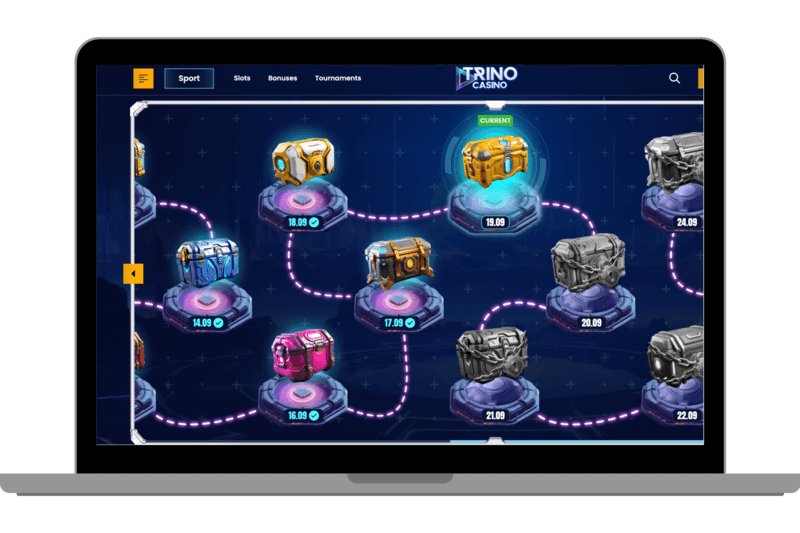
If you do not yet have a Trino Casino account, the app provides signing up a smooth, guided process. Registration requires only a few minutes, and we request the same information any regulated operator needs to comply with licensing and anti‑fraud rules. You can begin the sign‑up flow by pressing the prominent “Register” button on the welcome screen. The app will show a multi‑step form that requests your personal details, contact information, and account preferences. We developed the interface to be mobile‑friendly, with large input fields and clear labels so you can enter comfortably even on smaller screens. All data you enter is encrypted in transit, so your private information stays protected from the moment you begin. Before you proceed, have a valid email address and a mobile phone number ready, as both can be used for verification and account recovery later.
What Is Required to Register
To complete the registration form seamlessly, prepare a few required items. You require a valid email address that you can access instantly, because we send a confirmation link to verify your account. A mobile phone number is also required for 2FA and security alerts. Be set to input your full legal name just as it appears on your identification documents, your date of birth proving you meet the minimum gambling age, and your residential address including postal code. You will also pick a strong password and select your preferred currency for deposits and withdrawals. The app may prompt you to establish a security question or a four‑digit PIN for faster in‑app verification later. With these details at hand speeds up the process and minimizes the chance of errors that could hold up your first deposit.
Completing the Sign‑Up Form
The enrollment form inside the app is divided into logical sections so you never become overwhelmed. To start you provide your email and create a password. The app evaluates password strength in real time and informs you if the combination is insufficient. After that you enter your name, date of birth, and gender. The following screen asks for your full address, country of residence, and phone number. We use this information to confirm your identity later and to guarantee we provide the correct payment methods for your region. The final step displays our terms and conditions and privacy policy; you must tick the box confirming you have read and accepted them. You can also decide to receive promotional notifications and emails, though this is voluntary. After pressing “Create Account,” you will be sent a verification email. Follow the link inside to enable your account, and you are ready to log in.
Navigating the App: Key Features and Integrated Tools
In addition to login and registration, the Trino Casino app includes a full suite of gaming and account management tools into a compact interface. The bottom navigation bar gives you single‑tap access to the game lobby, promotions, cashier, and your profile. We devoted special attention to making the lobby fast to browse, with category tabs for slots, table games, live casino, and new releases. A search bar lets you find a specific title by name, and you can mark games as favourites for quicker access later. The app also remembers your recently played games, so picking up where you left off needs no time at all. Everything works responsively, and game thumbnails are optimized to consume minimal data while still looking sharp on high‑resolution screens.
Game Collection and Live Casino
The app hosts the same extensive library you would find on the desktop site, with hundreds of slots, dozens of blackjack and roulette variants, video poker, and specialty games. Live casino tables broadcast in high definition directly to your phone, and the portrait mode interface positions the video feed at the top with betting controls conveniently at the bottom. You can talk with dealers and other players, tweak video quality to save data, and switch between multiple tables without leaving the game. All titles run on HTML5, so there is no need to download additional plugins. The app buffers game assets in the background when you are on Wi‑Fi, which cuts loading times when you switch to mobile data. Whether you like spinning reels during a commute or joining a live blackjack table from your couch, the app delivers a smooth, immersive experience.
Banking and Transaction History
Taking care of your finances is straightforward from the app’s cashier section. You can make a deposit using a selection of methods including credit cards, e‑wallets, prepaid vouchers, and bank transfers, based on your location. The deposit flow is condensed into a few screens: select a method, enter the amount, and verify. Most deposits are instant, and the app shows a real‑time balance update. Withdrawals follow a similar path, with the added step of choosing a verified payment method. The transaction history tab gives you a full, searchable log of every deposit, withdrawal, bonus credit, and wager. You can sort by date range and transaction type, and download statements if needed. This transparency allows you to track your spending and control your bankroll responsibly without ever needing to visit the desktop site.
Responsible Gaming Controls
We handle player protection responsibly, and the app puts responsible gaming tools at your fingertips. Inside your profile, you can set deposit limits on a per-day, weekly basis, or per-month. You can also activate reality checks that notify you how long you have been playing, or choose a temporary cooling‑off break lasting 24 hours to several weeks. For those who need a longer pause, self‑exclusion options are offered directly through the app, and our support team can assist you through permanent closure if necessary. The app also connects to external help organizations and offers a self‑assessment questionnaire. All limit changes go into effect immediately, and decreasing a limit does not require a waiting period. These features are intended to help you keep gambling enjoyable and within your personal boundaries.